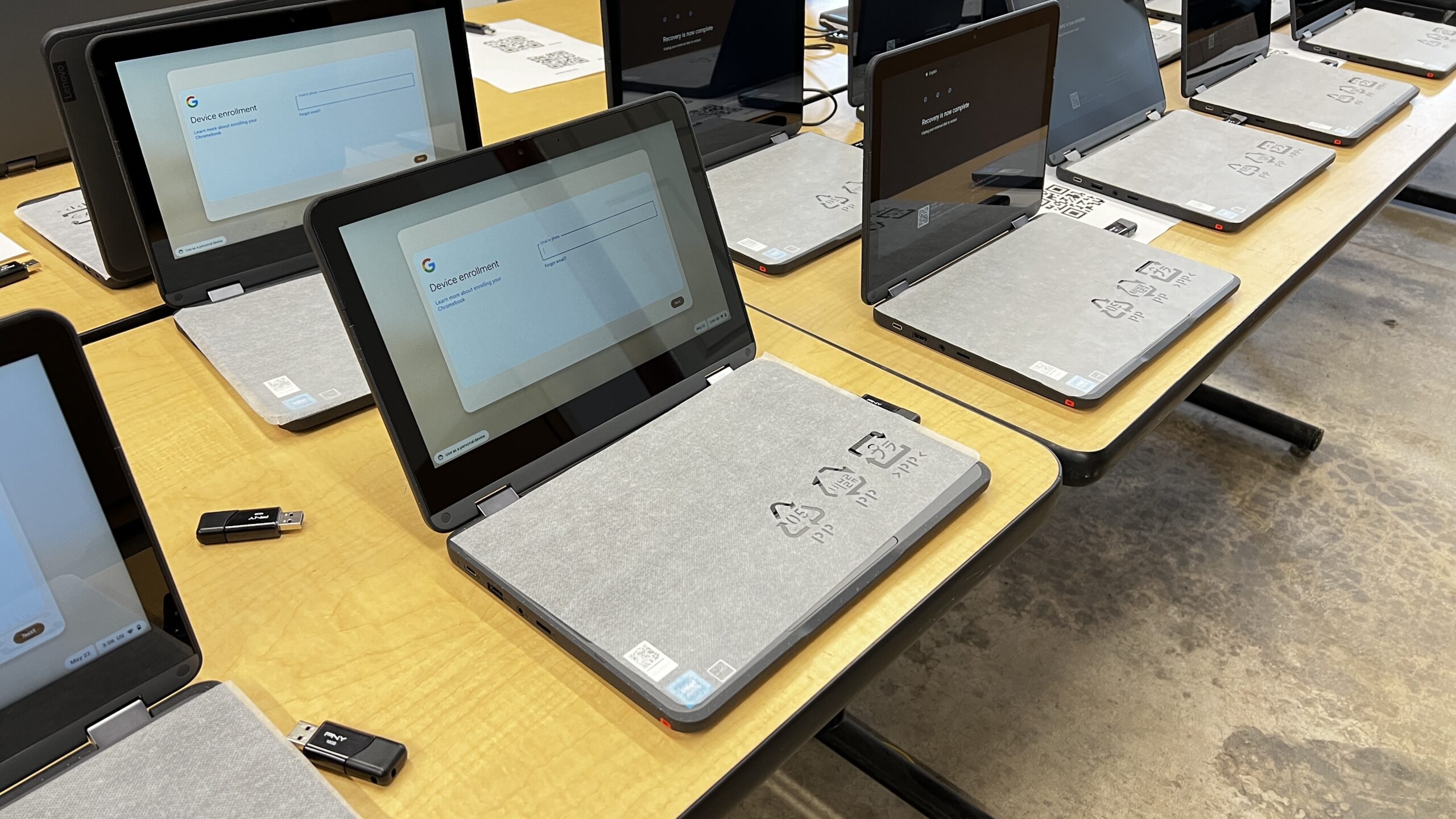
More than 38 million students are using Chromebooks in schools throughout America, and each family asks the same question: What happens if my student breaks their device? And who pays for it? That’s exactly why we wanted to put together a K-12 Tech Chromebook Policy Guide. There isn’t one easy answer.
Working at K-12 Tech Repairs, we’ve spent 14+ years repairing K12 School District Chromebooks across the country. We’ve seen how different policies play out in practice. We’ve reviewed approaches across roughly 40 districts and we’re still surprised by how different each one is. Every district believes their Chromebook Policy will reduce breakage rates. The truth is, proving which approach actually works requires years of clean data and controlled testing. We’d like to run those tests with districts someday. In the meantime, we’ve collected real examples from existing district policies and evidence from our partner districts.
We’ll walk through the most common approaches, share what we see from the repair side, and close with a checklist and template to help you build your own Chromebook policy.
Chromebook Fee Structures: What Are Schools Charging?
The first thing every district decides is whether families pay anything when a device breaks. This decision shapes everything from parent communication to your repair budget. Fee structures generally fall into four categories:
- No fee at all. The district absorbs the full cost of repairs. This removes friction for families but can create a hidden cost problem at scale, especially as fleets age and breakage accumulates. This is typical in a state like Indiana that has a no textbook bill where they often can’t charge families for the device or repairs.
- A flat annual technology fee that every family pays regardless of whether anything breaks. Predictable for budgeting and removes the awkwardness of billing after an incident. This option is often paired with our Accidental Damage Protection.
- Optional insurance that families choose to buy or decline before the school year starts. Works well when families opt-in early. The challenge is that the students most likely to break devices are often the least likely to enroll. Our device Device Complete Club is an example of this approach. It allows families to pay an annual membership, offsetting the district’s costs.
- No fee upfront, but a bill per incident when damage happens. Keeps things fair on paper but can create tension with families who weren’t expecting a charge. We complete adhoc repairs for several schools that operate with this fee structure.
When districts go the per-incident route, the structure still varies:
- A tiered approach where the cost increases with each break. A first break might be $50, a second $100, and so on. The idea is that consequences escalate with repeated damage.
- A flat fee every time, regardless of how many incidents have occurred.
- A fee based on what the manufacturer charges for repairs. This is typically higher than third-party repair costs and can surprise families who weren’t expecting a $200+ bill for a cracked screen.
From the repair side, we consistently see that districts with clearly communicated fee structures, especially when the Chromebook Policy is embedded into enrollment rather than sent home as a separate form, have fewer disputes and better compliance. Families don’t push back on fees they agreed to in August. They push back on fees that arrive in November without context.
Chromebook Ownership Models: Who Really Owns the Device?
Beyond fees, the second big decision every district makes is about ownership. Who owns the device? What happens to it when a student transfers, graduates, or simply stops showing up? The answer affects everything from how students treat their devices to what happens at end of life.
District Ownership With Annual Loan
This is the most common model we see. The district purchases the device, loans it to the student for the school year, collects it each summer, inspects it, and reissues it the following fall. The device never belongs to the student. It must be returned at graduation or transfer.
The advantage is control. Districts can inspect, repair, and rotate devices during the summer window. The downside is operational: collecting, checking, and redistributing thousands of Chromebooks is a significant lift for any technology team. On r/k12sysadmin, IT directors in larger districts consistently say the logistics of collection can be a bigger problem than the breakage itself.
Same Device for All Four Years
Some districts assign a Chromebook to a student in middle school or at the start of high school and let them keep that same device through graduation. The thinking is straightforward: students take better care of something they think of as theirs. We’ve seen this anecdotally in our own data. Students with long-term device assignments tend to report damage less frequently than students who turn in a device at the end of each year and receive a different one in the fall.
The Anchorage School District in Alaska is one documented example, assigning devices starting in 6th grade and allowing students to keep them through graduation. Whether this formally reduces breakage rates is something most districts say they believe but haven’t measured rigorously.
Graduation Buyout Programs
A growing number of districts are offering seniors the option to purchase their device when they leave. This solves two problems at once: it keeps a functional device out of the surplus pile and gives a graduating student something useful for college or work.
- Murray County Schools in Georgia offers seniors a $25 buyout option, or free if they purchased insurance that year. Full details are on their district policy page.
- Vicksburg Warren School District in Mississippi brings back a $1 buyout program each June exclusively for college-bound seniors. Their most recent program details are posted on the district site.
- Other districts we’ve seen simply retire devices that have depreciated past the point of useful district life and make them available to graduating students rather than sending them to surplus.
Bring Your Own Device (BYOD)
Instead of issuing district-owned devices, some districts ask families to purchase a Chromebook themselves. The theory is that families who buy the device treat it with more care. In practice, this works well in communities where the purchase is manageable. It creates equity challenges in districts with high free and reduced lunch populations.
La Cañada Unified School District in California runs a BYOD program starting in 5th grade. Families purchase a Chromebook for around $300, with the expectation it lasts two to three years. Their program FAQ is one of the more transparent we’ve seen, including clear guidance on what happens if a family can’t participate. They provide an equity device option for families who choose not to or cannot afford to buy.
Take-Home Chromebooks and Summer Access: What the Data Actually Shows
This is where policy meets reality, and where we see the widest gap between what districts intend and what actually happens.
Based on 14 years of repair data, K-12 Tech Repairs has found that breakage rates roughly triple when devices start going home with students. Carted devices in elementary schools see significantly lower damage. The moment a device leaves the building daily, exposure increases: it gets dropped in parking lots, sits at the bottom of backpacks, gets used on couches, and competes with siblings for charging cables.
The summer take-home question adds another layer. Some districts collect every device at the end of the year, inspect them, repair what needs fixing, and redistribute in the fall. Others let students keep them all summer. Both approaches have real tradeoffs.
Districts that collect devices over summer report smoother starts to the school year, fewer mystery damages that nobody admits to, and reduced battery and motherboard issues caused by improper storage. Districts that allow summer take-home say the logistics of collecting and redistributing thousands of devices are simply not worth it for the size of their team, and that most devices come back in fine condition after sitting on a shelf for two months.
The community of K-12 IT professionals on r/k12sysadmin reflects this split almost exactly. Tech directors from larger districts with dedicated staff tend to allow summer take-home for the logistical relief alone. Smaller and rural districts, where a single coordinator manages the entire fleet, tend to collect because a few lost or stolen devices represent a meaningful percentage of their total inventory.
Student Tech Teams: Building Ownership From the Inside Out
One of the most overlooked strategies for reducing Chromebook breakage isn’t a fee structure or a policy change. It’s putting students in charge of the devices themselves.
When students are responsible for fixing broken devices, something shifts. They see firsthand what a cracked screen costs to repair, how long it takes, and what it means for the student who has to go without a device while it’s being fixed. That experience changes behavior in a way that a policy document or a fee schedule simply cannot.
Research from Digital Promise supports this directly. Engaging students in the care of devices through student tech teams instills a sense of ownership and accountability that general guidelines alone don’t create. It also creates a peer-to-peer dynamic that matters. When a student hears from another student that careless handling has real consequences, it lands differently than hearing it from a teacher or an IT coordinator.
Districts that have introduced student tech teams consistently report that it shifts the culture around devices. Students stop treating breakage as inevitable or anonymous. They start treating the devices more like something that belongs to the community rather than something that belongs to no one.
Beech Grove City Schools, Indiana
Beech Grove City Schools is one of the clearest examples of what this looks like when it works. Quinten Starks, a Tech Integration Specialist at Beech Grove High School, championed the idea of giving students real hands-on experience with technology, not just as users but as the people keeping devices running. The result was the Tech Squad, a student-led program where students serve as the in-house frontline for Chromebook repairs at the high school level.
What makes Beech Grove’s story stand out is what happened after. One of the first students to go through the program, Mike Hotseller. Now Mike is K-12 Tech’s Procurement and Sales Support Manager. He leads our Procurement Team which makes all of your repairs and parts purchases possible. A student who learned to fix school devices ended up building a career from it. That’s exactly the kind of outcome this model is designed to create.
Quinten also helped shape the curriculum behind our K-12 Tech Repair Class Support program, which we’ll get to below. His experience building something from the ground up inside a real school informed how we structured the program for other districts.
Richmond High School, Indiana
Richmond High School takes student tech leadership in a different but equally compelling direction. Jeremy Hill, an e-learning specialist at the school, built a student tech team that goes beyond repair. His students are active participants in how their school integrates and thinks about emerging technology including AI. Rather than banning tools or waiting for adults to figure it out, Richmond handed the conversation to students and let them lead it.
The team was featured on the Exceptional Educators Podcast, where they shared their perspectives on AI as a critical thinking tool. He shared the difference between general and purpose-built AI, and why schools should embrace rather than avoid new technology. It’s a strong listen and worth sharing with your own tech team or staff.
What K-12 Tech Built Around This Idea
We’ve seen programs like these work firsthand, and we believe in the model strongly enough that we built a program around it. Our Repair Class Support program, or RCS, gives schools the curriculum, repair videos, tools, and guidance needed to run a student-led repair program from the ground up. Students learn how a tech department operates, how to use a help desk and ticketing system, how to manage inventory, and how to complete hands-on hardware repairs from screen replacements to battery swaps. The two-semester curriculum runs through Google Classroom and is flexible enough to work as an elective, a standalone class, or an after-school club. Students who complete the program receive a K-12 Tech certificate.
We built RCS because we believe that giving students a pathway into technology careers matters just as much as keeping devices running. The two goals are connected. A student who knows how to repair a Chromebook treats it differently. A class that runs its own help desk changes the culture of a building.
What We Saw With One Midwest Partner
One of our Midwest partner districts gives a clear picture of what unchecked take-home access can look like at scale. This is a middle school and high school district we’ve been working with since 2024. As of the end of 2025, we had closed 1,749 repair tickets and used 2,125 parts across their fleet.
Their overall breakage rate averaged 92 percent. The national average for take-home devices sits around 30 percent for high school students and around 40 percent for middle school students. Their middle school alone ran at a breakage rate above 100 percent in two out of three semesters, meaning devices were being repaired more than once per student per year on average.
About 25 percent of their fleet, roughly 496 devices, was repaired four or more times in an 18-month window. On average, 50 percent of devices were repaired more than once per semester. In most fleets we work with, about 20 percent of devices cause most of the problems.
The high school breakage rate was significantly lower at 38 percent, which is closer to the expected range for take-home devices. The difference between the two buildings points to something we see often: take-home models carry more risk with younger students, and the Chromebook Policy probably needs to be different by grade level.
Their top recommendation from our analysis was moving middle school devices to carts. Based on our experience across similar districts, that change alone could reduce breakage by roughly 50 percent.
Battery and motherboard issues are also a consistent pattern after summer breaks when devices aren’t properly stored or charged down before a long period of inactivity. We recommend that any district allowing summer take-home send families simple written guidance on how to store the device, how to handle the battery, and what to do if something goes wrong before school starts.
This pattern is not unique to our partners. Columbus City Schools in Ohio reversed their K-8 take-home Chromebook Policy after facing what district leadership called unsustainable loss and breakage. They moved back to classroom cart sets for younger grades. Each device had cost the district approximately $430 including chargers, configuration, and warranty. At scale, the losses were significant. (Source: The Southerner Online, January 2026)
If you do allow students to take Chromebooks home, one of the simplest things you can do is make sure families know how to take care of them. Most damage we see after summer breaks and long weekends comes down to a few basic habits: improper storage, dead batteries from months of inactivity, and backpack accidents that could have been avoided.
📌 We put together a Canva Template for a Student Chromebook Care Guide. This is designed to go home with students’ devices at the start of the year or before any extended break. It covers how to store the device, how to handle the battery, what to do if something goes wrong, and how to keep it safe in transit. It’s written for students and families, not Technology Department. Download it below and feel free to send it home with your devices.
Access Free Canva Template
Do Chromebook Cases Actually Help?
This comes up constantly and the honest answer is: it depends on the case and the age of the student.
Based on our repair data, heavy snap-on cases can actually contribute to hinge wear over time. The added weight, combined with the way students open and close their devices, accelerates damage to the hinge mechanism. Fabric or always-on cases can restrict ventilation, which in some devices contributes to higher motherboard failure rates.
What we recommend: lightweight, clear snap-on cases. They provide protection against scratches and minor drops, add minimal weight, don’t restrict ventilation, and are cost-effective. They also reduce vandalism since stickers and markings go on the case rather than the device.
For districts on an accidental damage protection plan like ADP, cases often make less sense financially since the plan already covers most damage scenarios. In those situations, we’d suggest piloting cases with a small group first and measuring whether damage rates actually change before committing to a fleet-wide purchase.
What K-12 IT Directors Actually Say About Chromebook Policies
Chromebook Policy documents tell you what a district decided. The conversations in the K-12 IT community tell you what they actually think. A few consistent themes come up across the r/k12sysadmin community and in our own conversations with technology directors.
Chromebook Fees and Accountability
Introducing fees or financial consequences almost always reduces reported damage, often quickly. Districts that post their fee schedules visibly, including in enrollment paperwork and school handbooks, see fewer disputes. The families who are most upset about a repair bill are usually the ones who didn’t know one was possible.
Ownership and Care
Students who keep the same device for multiple years tend to treat it better. This shows up in our repair data and comes up repeatedly in conversations with IT directors. There’s something about continuity of ownership, even without formal title transfer, that changes how a student handles a device.
Chromebook Policy Agreements
Districts that embed the device agreement into enrollment, where a family cannot complete registration without acknowledging it, have significantly fewer opt-out problems. Sending a separate form home in the first week of school means it gets lost. Making it part of the enrollment flow means it gets signed.
Chromebook Policy Checklist
Use this before finalizing or updating your district’s Chromebook Policy. You don’t need to check every box. But every box you leave unchecked is a decision worth making intentionally.
Fee Structure
- Have you decided who pays when a device breaks?
- Is that decision clearly communicated at enrollment, not after the fact?
- If you offer insurance, do families know when and how to opt in before the school year starts?
- If you bill per incident, is your fee schedule posted somewhere families can find it?
- Have you addressed what happens if a family cannot pay?
Device Ownership
- Is it clear that the device belongs to the district, not the student?
- Do you assign the same device to a student year over year, or redistribute at the end of each year?
- Do you have a documented process for what happens when a student transfers mid-year or graduates?
- If you offer a buyout option, are the terms, pricing, and eligibility clearly written down?
Take-Home and Summer Access
- Have you made an explicit decision about whether devices go home daily, or is it just assumed?
- Is your policy different by grade level? It probably should be.
- Do you collect and inspect devices at the end of the year or allow summer take-home?
- If devices go home for summer, are families given guidance on proper storage and battery care?
- Do you have a process for students who need a device over summer for enrolled courses?
Damage and Loss
- Is there a clear distinction in your policy between accidental damage and intentional damage?
- Do you have loaner devices available when a student’s device is being repaired?
- Is your process for reporting damage or loss clearly communicated so families know what to do when it happens?
- Do you have remote lock or disable capability for lost or stolen devices?
The Agreement Itself
- Is your policy written in plain language that a parent and student can actually read and understand?
- Is it embedded into enrollment so it cannot be skipped?
- Does it tell students what they should do, not just what they shouldn’t?
- Does it explain what happens when something goes wrong and who to contact?
- Have you reviewed it in the last 12 months?
Chromebook Policy Template
Every district’s situation is different. The right fee structure for a rural district of 400 students isn’t the same as what works for a suburban district of 8,000. But the questions every district needs to answer are largely the same.
📌 To make it easier to get started, we put together a Chromebook Policy Template you can download and adapt for your own district. It’s written in plain language, follows the responsible use framework recommended by CoSN and ISTE+ASCD, and includes fillable options for each of the major policy decisions covered in this guide. Look at the options provided, and adjust as you see fit.
Download Free Template
Resources for Building or Updating Your Chromebook Policy
Before writing your own policy, it helps to know what the broader edtech community recommends. A few resources worth reading:
- Setting Conditions for Success: Guidelines for Responsible Use of Technology for Schools (CoSN, ISTE+ASCD, Digital Citizenship Coalition, ATLIS, 2026) — The most current framework available for K-12 responsible use agreements. Free to download. Updated April 2026.
- Chromebook Churn Report (PIRG Education Fund) — Research on device lifespan, repairability, and the environmental and financial cost of short refresh cycles.
- r/k12sysadmin — An active community of K-12 IT directors and technology coordinators. More candid than any policy document
- CoSN’s guide in particular makes an important distinction worth knowing before you write anything: most school technology policies fail not because the rules are wrong, but because they’re written like legal contracts instead of guidance real people can read and follow. They encourage what they call a Responsible Use Agreement over a traditional Acceptable Use Policy. The core difference is tone and focus. Keep it positive, write in plain English, involve families in the process, and review it every year.
References
CoSN, ISTE+ASCD, Digital Citizenship Coalition, ATLIS. (2026). Setting Conditions for Success: Guidelines for Responsible Use of Technology for Schools. https://www.cosn.org/tools-and-resources/resource/setting-conditions-for-success-guidelines-for-responsible-use-of-technology-for-schools/
Murray County Schools, Georgia. (2025). Senior Devices and Accounts. https://www.murray.k12.ga.us/o/mcs/page/senior-devices-and-accounts
Vicksburg Warren School District, Mississippi. (2026). Class of 2026: Take Your Chromebook With You for Just $1. https://www.vwsd.org/article/2976360
La Cañada Unified School District, California. (n.d.). Program Overview: Chromebook Program for Grades 5-12. https://www.lcusd.net/apps/pages/index.jsp?uREC_ID=427554&type=d&pREC_ID=932821
The Southerner Online. (January 2026). Districts Weigh K-8 Chromebook Restrictions. https://thesoutherneronline.com/102424/news/districts-weigh-k-8-chromebook-restrictions-sparks-controversy/
PIRG Education Fund. (2023). Chromebook Churn Report. https://pirg.org/edfund/resources/chromebook-churn/
About Chromebooks. (2026). Chromebook Keyboard Failure Rates Statistics. https://www.aboutchromebooks.com/chromebook-keyboard-failure-rates/
r/k12sysadmin. Various threads on Chromebook policy, summer take-home, and breakage rates. https://www.reddit.com/r/k12sysadmin/